
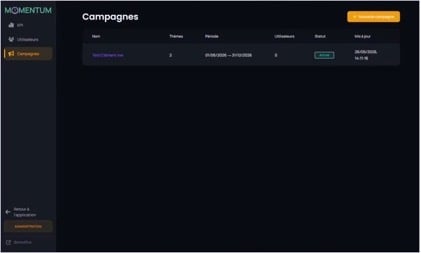
The list of campaigns with its columns and the New campaign button.
In the menu, click on Campaigns to display the list. The table shows the following columns:
|
Column |
Meaning |
|
Name |
The name given to the campaign. |
|
Themes |
The number of associated themes. |
|
Period |
Start date and end date (e.g. 01/06/2026 → 31/12/2026). |
|
Users |
The number of attached participants. |
|
Status |
The campaign state (e.g. Active). |
|
Updated |
Date and time of the last change. |
Click on a campaign name to open its detail page. The button + New campaign lets you create one.