![Fifty - Logo&baseline_blackBackground_2023.png]](https://knowledge.fifty.do/hs-fs/hubfs/Fifty%20-%20Logo%26baseline_blackBackground_2023.png?height=50&name=Fifty%20-%20Logo%26baseline_blackBackground_2023.png)
Once your Customer Success Manager has assigned you rights, you can log in to the Fifty platform.
Step 1
From a computer, go to www.app.fifty.do.
Please note that the management platform is only accessible from a computer.
Step 2
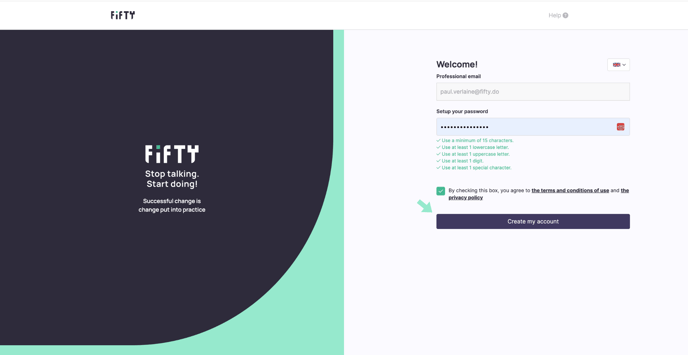
Choose the interface language: French or English.
.png?width=688&height=356&name=Arriv%C3%A9e%20(en).png)
Step 3
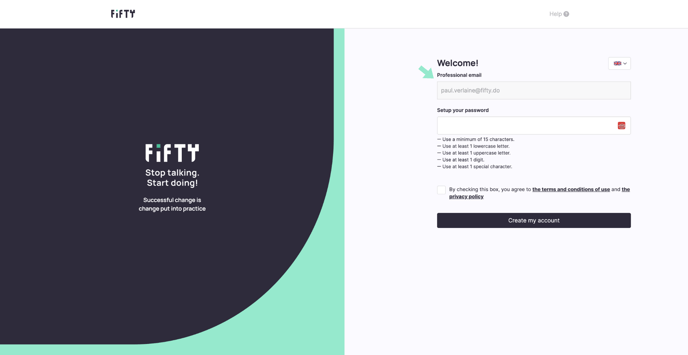
Enter your work email address (the one you used to register).
Step 4
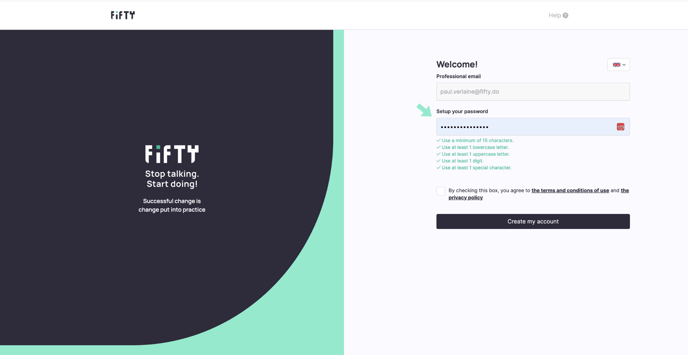
Create your password.
You can use:
• lowercase and uppercase letters
• numbers (0 to 9)
• special characters (#@&()^…)
Step 5
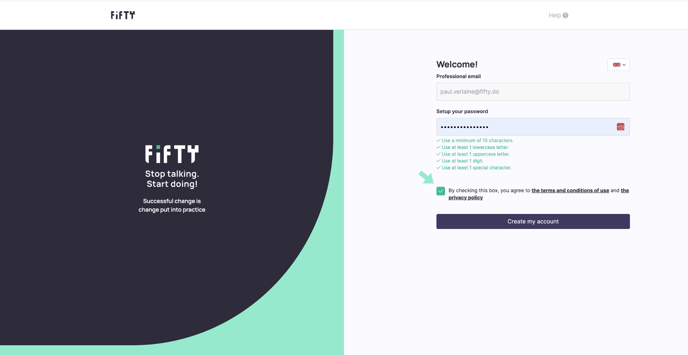
Tick the box to accept the terms and conditions of use.
Step 6
Click on ‘Create my account’.
Step 7
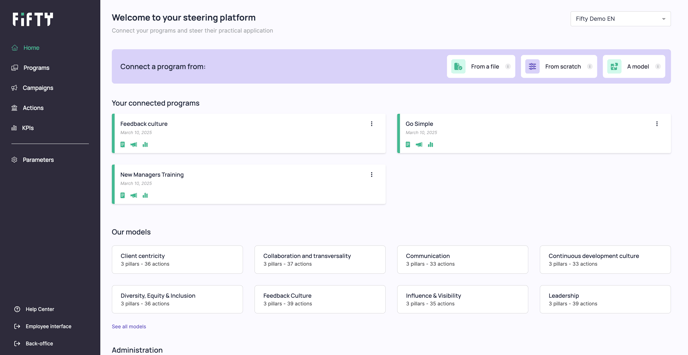
Welcome to your Fifty management platform !